
Download HideWin – Privacy, Productivity, Utility Tool
Overview
HideWin is a lightweight, no-installation utility designed to help users quickly hide all open windows with minimal effort. Its primary purpose is to enhance privacy and focus by allowing rapid screen clearing, ideal for situations where sensitive information must be concealed instantly—such as during a meeting, in shared workspaces, or when switching between personal and professional tasks. The app targets individuals who value efficiency and discretion, including remote workers, students, and professionals managing confidential data.
While the developer did not provide additional background, the app’s minimalist design and straightforward functionality suggest a focus on core utility over complexity. Real-world use cases include swiftly concealing financial reports, private messages, or unfinished work without navigating through multiple windows. In the broader app ecosystem, HideWin fills a niche for quick, secure window management tools, especially on devices where traditional task managers are cumbersome or unavailable.
Its minimal footprint ensures it doesn’t interfere with system performance, making it a practical addition for users prioritizing speed and simplicity.
Key Features & Functionality
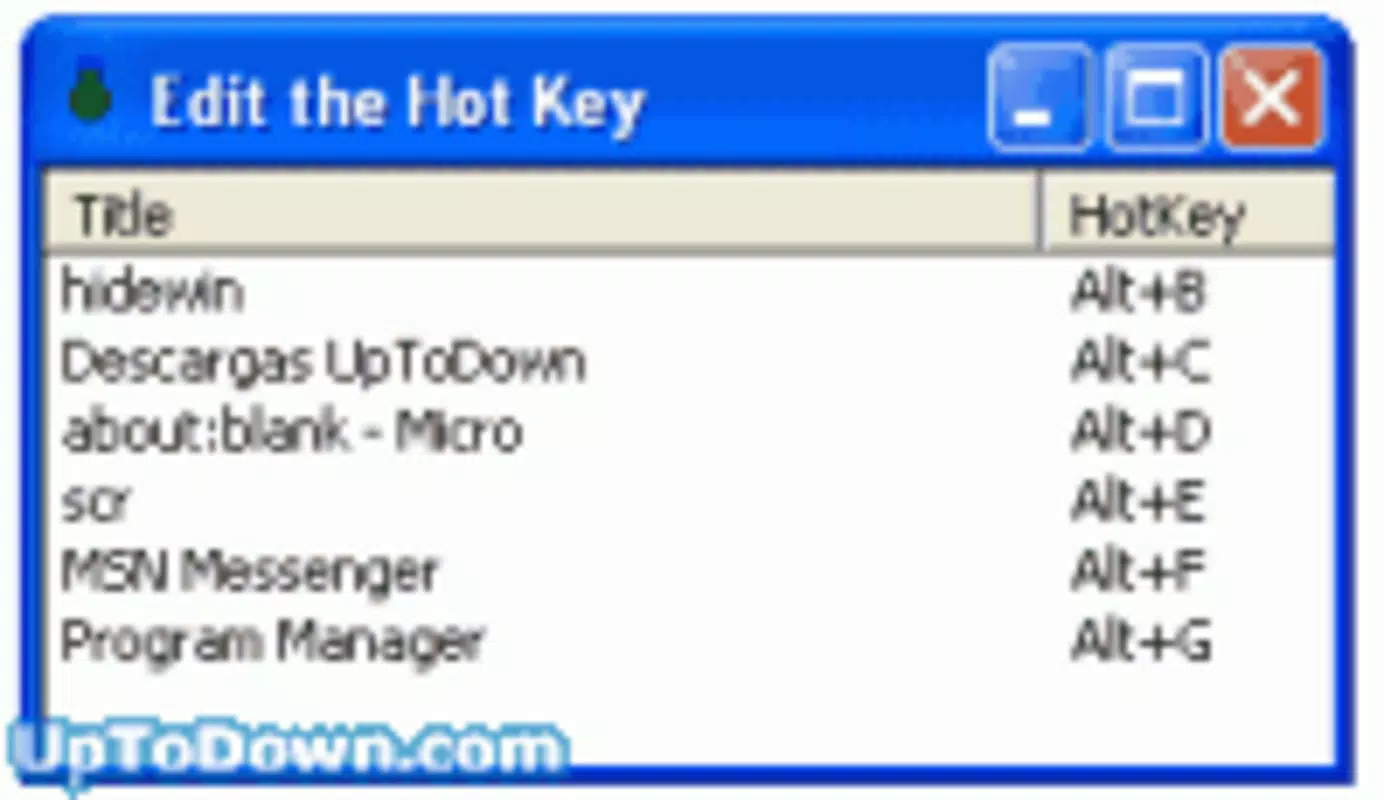
- Customizable Hotkeys: Users can assign specific keyboard shortcuts to trigger the hiding of all active windows. This allows for personalized, rapid access based on individual workflow preferences, whether using a single key or a combination.
- Extremely Lightweight: At just 30 KB when uncompressed, HideWin consumes negligible system resources. This makes it suitable for low-storage devices and ensures it operates without impacting performance.
- No Installation Required: The application functions as a portable tool, meaning it can be launched directly from a downloaded file without altering the system. This is ideal for users who avoid installing software or use shared devices.
- Free to Use: HideWin is offered at no cost, with no hidden fees, subscriptions, or advertisements. This accessibility supports widespread adoption across different user groups.
For example, a user working on a confidential project can press a predefined key combination to instantly hide all windows, securing their data in seconds. Similarly, a student in a library can conceal personal content during a break without closing applications. The flexibility in hotkey assignment enhances usability across diverse environments, ensuring the tool adapts to real-life workflows without friction.
Interface, UX & Performance
HideWin features a minimal interface, likely consisting of a small system tray icon or background process, as no visual UI elements were detailed. The design prioritizes invisibility and efficiency, aligning with its utility-focused nature. Navigation is not required, as the app operates through keyboard shortcuts rather than interactive menus.
This approach reduces cognitive load and ensures users can act quickly without distraction. Performance is expected to be smooth and responsive, given the app’s size and lack of installation requirements. Although the developer did not list formal performance metrics, the lightweight nature suggests minimal CPU or memory usage.
The app is likely stable across various device categories, from older systems to modern machines, due to its low resource demands. Responsiveness is optimized for immediate execution upon hotkey activation, crucial for privacy-sensitive scenarios. Stability is implied by the absence of reported issues, though no official testing data was provided.
Overall, the user experience is streamlined for speed and discretion, catering to users who value functionality over visual polish.
Platform Compatibility & Technical Requirements
HideWin is designed for Windows-based systems, though specific OS versions were not listed. The app is available as a portable executable, meaning it does not require installation and can be run directly from a file. The file size is reported as 30 KB when uncompressed, indicating a highly compact footprint.
The developer did not specify minimum OS requirements, hardware specifications, or compatibility with mobile platforms. As such, compatibility with Android, iOS, or other operating systems cannot be confirmed. Users should verify system compatibility independently.
No additional software dependencies were mentioned, suggesting the app runs natively on supported Windows environments. The lack of formal requirements means the tool is likely accessible on a wide range of devices, provided they support basic Windows execution.
Pros and Cons
Pros
- Extremely lightweight at just 30 KB in size
- No installation required—fully portable
- Free to use with no hidden costs or ads
- Customizable hotkeys for personalized workflow integration
- Quickly enhances privacy and focus in sensitive environments
Cons
- Platform availability limited to Windows (no mobile or cross-platform support confirmed)
- Specific OS requirements not disclosed
- No visible interface or user guidance provided in the description
- Compatibility with modern Windows versions not explicitly stated
- Limited to desktop use; not suitable for mobile devices
FAQ
Is HideWin safe to download and use?
Yes, HideWin is reported as a lightweight, portable tool that does not require installation. As it operates without modifying system files, it poses minimal risk when downloaded from trusted sources. Users should ensure they obtain the app from official or verified channels to maintain security.
Can I use HideWin on my mobile device?
There is no information confirming mobile compatibility. The app is designed for Windows desktop environments and is not available for Android or iOS devices. It is intended for use on computers with a keyboard and windowed interface.
Does HideWin require internet access?
No, the app functions offline. It operates as a standalone utility that does not need to connect to external servers or services to perform its core function of hiding windows.
How do I assign a custom hotkey in HideWin?
Users can assign specific keyboard shortcuts through the app’s settings, though detailed instructions were not provided. The functionality is likely accessible via a configuration menu or configuration file, depending on the version.
Is HideWin updated regularly?
There is no public information about update frequency. The last known release date was October 7, 2003, suggesting the app may be stable and feature-complete. However, users should verify the source and version to ensure compatibility with current systems.
Final Thoughts
HideWin stands out as a rare example of a utility that delivers maximum value with minimal footprint. Its ability to instantly hide all open windows with a customizable hotkey makes it an essential tool for users seeking privacy and focus. The lack of installation, low resource usage, and zero cost make it ideal for both casual and professional use.
While it is limited to desktop environments and lacks modern UI polish, its core functionality remains highly effective. Users who frequently switch between sensitive and public tasks will benefit most from this streamlined solution. In a world where digital privacy is paramount, HideWin offers a simple yet powerful way to maintain control over one’s screen.
Download HideWin now.


